New from csbros · Free for Windows & Mac

A hero drops onto your desktop to make sure you drink water.

csbros companion turns a boring reminder into a tiny scene: your favourite hero swings or flies in, hands you a glass of water and leaves in style. Every time.

Free · Version 0.1.0 · Windows 10/11 · macOS (Intel & Apple Silicon) · Install guide

csbros companion is a desktop app. Open this page on your Windows PC or Mac to download it.

Zero setup hassle
100% offline
23D heroes
30 sto set up
0accounts, ads or trackers
2platforms: Windows & Mac
How it works

Three steps. Then it just shows up.

No account, no settings maze. The app walks you through it the first time you open it.

  1. 01

    Install and say hi

    A short guide sets everything up with you: your name, your character and how often they drop by. Under a minute.

  2. 02

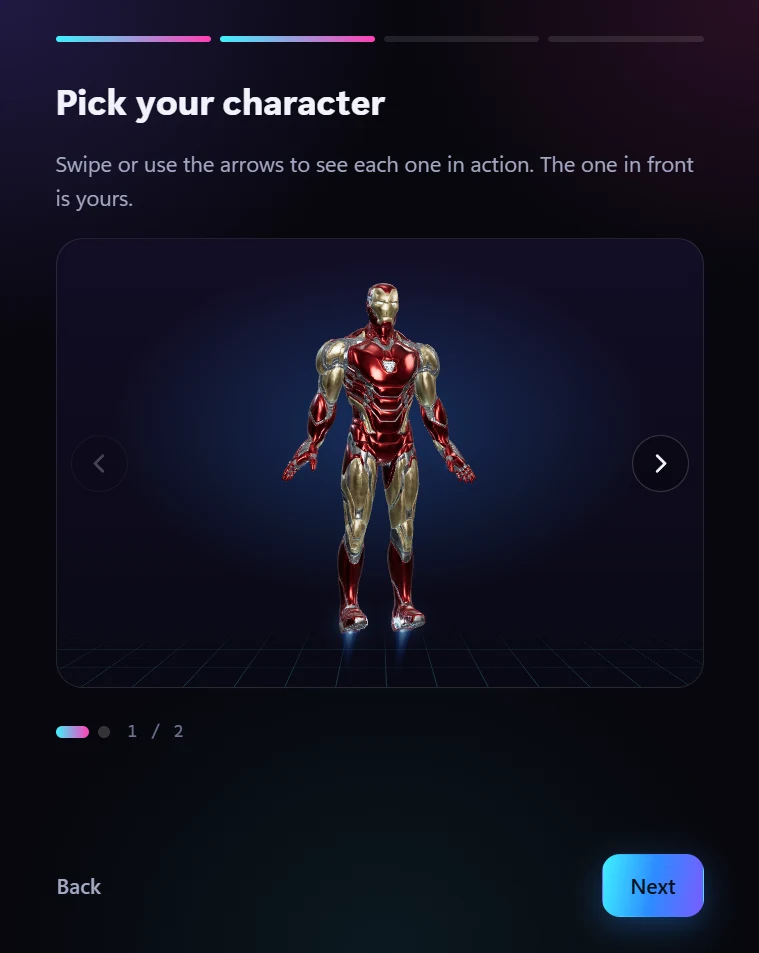
    Pick your character

    Swipe through the characters, each one performing live in 3D, and keep the one you like.

  3. 03

    Get on with your day

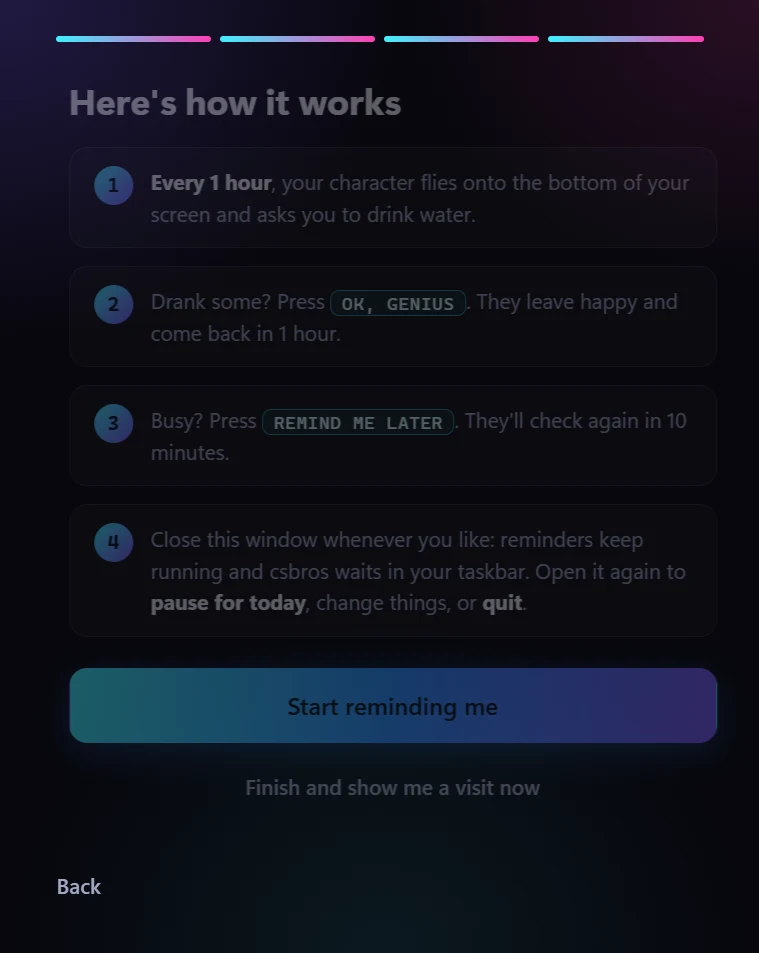
    Every 30 minutes, hour or whatever you choose, your character arrives on your screen with a glass of water.

Characters

Pick your hero.

Each character has their own entrance, their own lines and their own way of leaving. Both are included.

The web-slinger

Drops in upside down. Leaves on a web.

He comes down a web line from the top of your monitor, one swing and a wave, then a flip into a three-point landing. A web shot from the edge of your screen brings in a glass bottle of water, and he hands it to you.

  • Swings in from your monitor's real edge
  • Catches the bottle on a web, with sloshing water
  • Short, funny lines; calls you by your name
The armored flyer

Flies in hot. Lands the point.

He streaks in from the distance, brakes on four glowing thrusters and hovers beside your work while his line appears on a holographic display. Confident, witty, and very insistent about hydration.

  • Thrusters on hands and boots that react to his moves
  • Holographic HUD captions
  • A palm salute and a launch into the sky
Your answer matters

Two buttons. Two very different exits.

Say yes and he celebrates. Ask for more time and he respects it, with a little attitude. Either way, your schedule is kept.

OK, I'M ON IT

He tosses the bottle, climbs the edge of your monitor and swings away. Next visit at your chosen interval.

REMIND ME LATER

A shrug, he keeps the bottle and swings out the top. He's back in 10 minutes.

Features

Delightful on the outside. Considerate inside.

Cinematic, not a pop-up

Real 3D characters with hand-made motion: web swings, flips, flights and landings, right on your desktop.

Your rhythm

Every 30 min, 1 hr, 1 hr 30, 2 hr or any custom interval. Snooze for 10 minutes or pause for the day.

Stays out of your way

Clicks pass straight through to your work except on the two buttons. No tray clutter; close the window and it waits quietly.

Works offline

Everything runs on your computer. No account, no sign-in, no internet needed after you download it.

Private by design

No tracking, no analytics, no ads. Your name and settings never leave your machine.

Light on your PC

Sleeps between visits and only wakes up for a few seconds. Fits any screen size, from laptops to ultrawides.

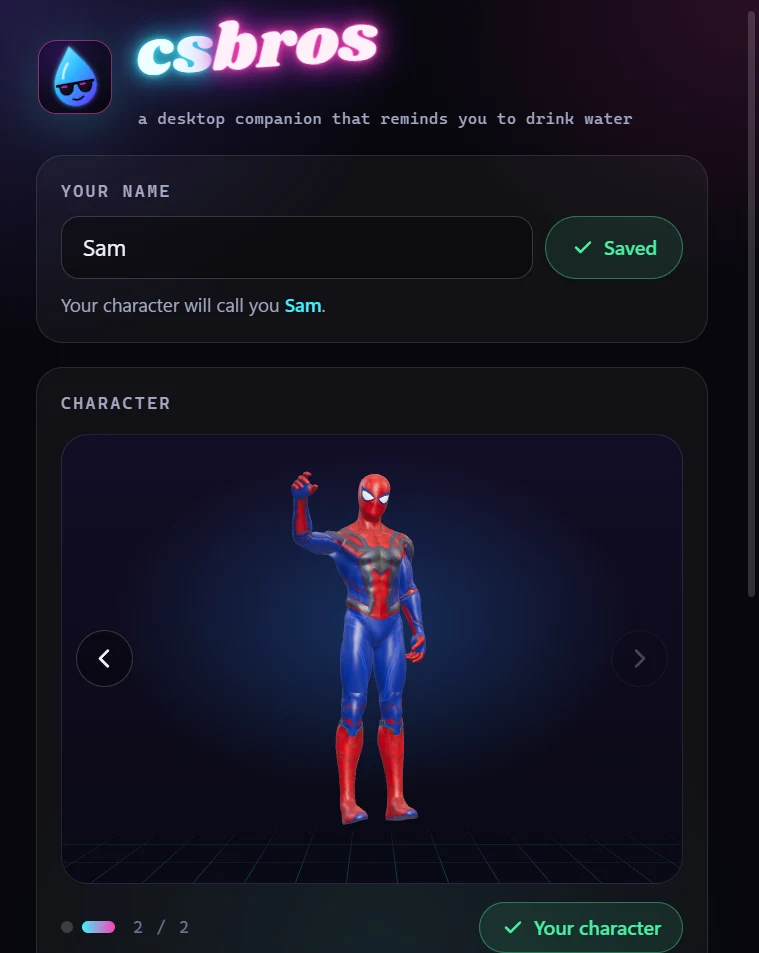
The app window

Everything on one screen.

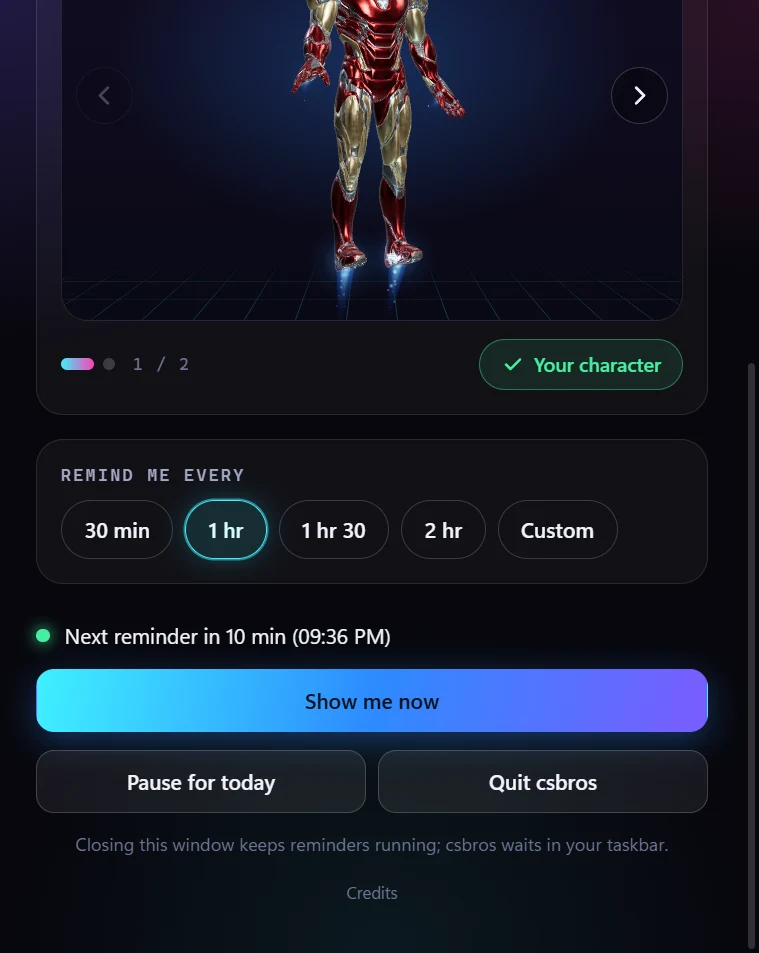
Your name, your character and how often. The next visit time, a button to see one now, pause for today and quit. That's the whole app.

  • Live 3D preview of every character
  • Change your interval in one tap
  • Pause for today, resume any time
The csbros companion app window

Give your water breaks a hero.

Free download for Windows and Mac. Takes a minute to set up.

Free · Version 0.1.0 · Windows 10/11 · macOS (Intel & Apple Silicon) · Install guide

csbros companion is a desktop app. Open this page on your Windows PC or Mac to download it.

Windows 10 or 11, 64-bit · 108 MB macOS 12 or later, Intel or Apple Silicon · 225 MB
FAQ

Questions, answered.

Is it really free?

Yes. csbros companion is a free, non-commercial fan project. There is nothing to buy, no trial and no ads.

Does it collect any data?

No. It works fully offline. Your name, character and interval are stored only on your computer, and nothing is sent anywhere.

Windows shows "Windows protected your PC". Is it safe?

That message appears for apps from independent developers that are not yet code-signed. Click More info, then Run anyway. The install guide shows each step.

My Mac says the app "can't be opened". What do I do?

macOS blocks apps that Apple has not notarised. A one-time step in Terminal lets it open normally from then on. See the Mac install guide.

Does it work on any Mac?

Yes, one download works on both Apple Silicon (M1 and later) and Intel Macs running macOS 12 or later.

How do I stop it?

Pause for today or quit from the app window. Closing the window keeps reminders running; reopen csbros from the Start menu or Dock any time.

Will there be more characters?

Yes. New characters are planned. The download page will always have the latest version.

The csbros crew: makers at work in a cosy studio at sunset
About csbros

Tech and digital creations.

csbros is an independent creator making small, playful software: things that make a screen a little more human. The companion is the first. More is on the way.

Get the companion
Your download has started

Open csbros on your Mac in 4 steps

macOS asks for one extra step the first time for apps that aren't registered with Apple. It takes about a minute, and you only do it once.

  1. Drag csbros into Applications

    Open the downloaded csbros .dmg file. In the window that appears, drag the csbros icon onto the Applications folder.

  2. Open Terminal

    Press ⌘ Command + Space, type Terminal and press Return. A window with text opens.

  3. Copy, paste, press Return

    Click Copy, click into Terminal, press ⌘ Command + V, then Return. Nothing appears; that means it worked.

    xattr -dr com.apple.quarantine /Applications/csbros.app
  4. Open csbros

    Open csbros from Applications or Launchpad. That's it: from now on it opens normally, every time.